
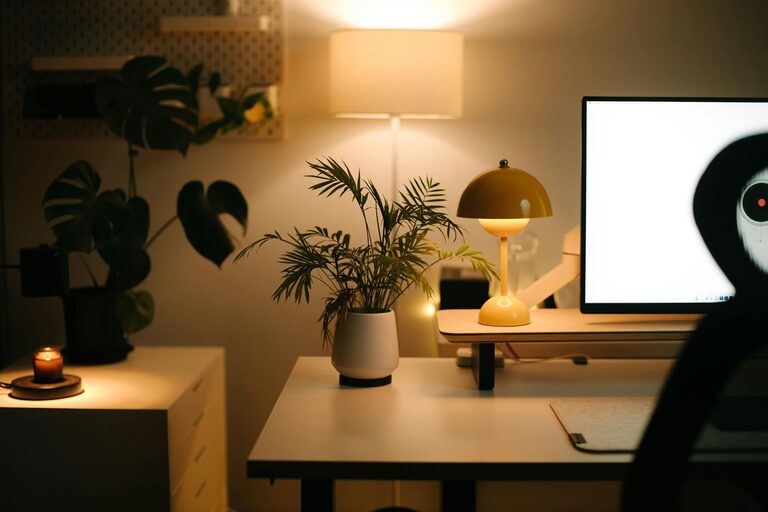
Tips for Creating a Cozy and Functional Home Workspace
Creating a home workspace that is both cozy and functional is essential for staying productive and comfortable while working remotely. A well-designed workspace boosts focus, reduces stress, and can even help separate work life from personal life. Whether you have a dedicated room or a small corner in your home, these tips will help you set up an environment that inspires you to do your best work.
Choose the Right Location
Your workspace location sets the foundation for comfort and functionality. Consider these factors when choosing where to work:
– Natural Light: Position your desk near a window if possible. Natural light improves mood and reduces eye strain.
– Noise Level: Pick a quiet spot away from distractions like the TV or high-traffic areas.
– Space Availability: Ensure there’s enough room for your desk, chair, and storage without feeling cramped.
Invest in Comfortable Furniture
Ergonomics play a key role in making your workspace cozy and healthy.
– Desk: Choose a desk that suits your needs—whether for writing, computer work, or creative projects. Adjustable desks can be a great option.
– Chair: Invest in an ergonomic chair with good lumbar support to reduce back pain.
– Footrest: Using a footrest can improve your posture and comfort during long working sessions.
Organize with Smart Storage Solutions
Keeping your workspace tidy can increase productivity and reduce stress. Try these storage tips:
– Shelving Units: Add wall-mounted shelves or bookcases to keep materials organized and off your desk.
– Drawers and Bins: Use drawers or bins to store supplies and equipment neatly.
– Cable Management: Use clips or cable organizers to keep wires untangled and out of the way.
Personalize Your Space
Adding personal touches can make your workspace inviting and motivate you to spend time there.
– Plants: Indoor plants add color and improve air quality, creating a refreshing atmosphere.
– Artwork and Photos: Decorate walls with inspiring images or family photos.
– Textiles: Soft cushions, rugs, or throws add warmth and comfort to your space.
Maintain Good Lighting
Proper lighting reduces eye strain and helps you stay alert.
– Task Lighting: Use a desk lamp to provide focused light for reading or detailed work.
– Ambient Lighting: Incorporate soft overhead lighting to balance the room.
– Avoid Glare: Position screens and lamps to avoid reflections that can cause headaches.
Minimize Distractions
Creating a focused workspace means managing distractions proactively.
– Set Boundaries: Use room dividers or curtains if your workspace is part of a shared room.
– Use Noise-Canceling Headphones: These help block out background noise when needed.
– Keep Digital Distractions in Check: Use apps that limit notifications or block distracting websites during work hours.
Establish a Routine and Keep It Clean
A consistent routine and tidy environment support productivity.
– Designate Work Hours: Stick to regular working hours to create structure.
– Daily Cleanup: Spend a few minutes each day organizing your desk and putting things away.
– Weekly Deep Clean: Dust surfaces, clean screens, and wipe down furniture to keep your space fresh.
Incorporate Healthy Habits
Your workspace can encourage healthy habits that enhance well-being.
– Take Breaks: Use a timer to remind yourself to stand, stretch, or walk a few steps every hour.
– Stay Hydrated: Keep water nearby to stay hydrated throughout the day.
– Air Quality: Ensure good ventilation or consider using an air purifier.
—
Creating a cozy and functional home workspace does not require a large budget or much space. With thoughtful planning, ergonomic furniture, and personalized touches, you can design an area that supports both your comfort and productivity. Start small, adjust as you go, and make your home workspace a place you enjoy spending time in every day.
