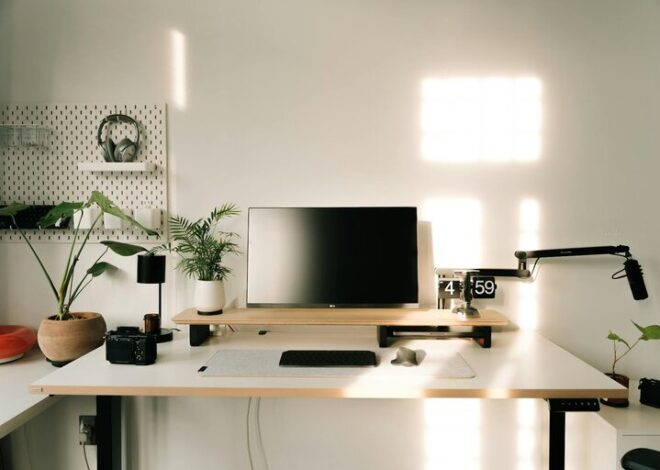
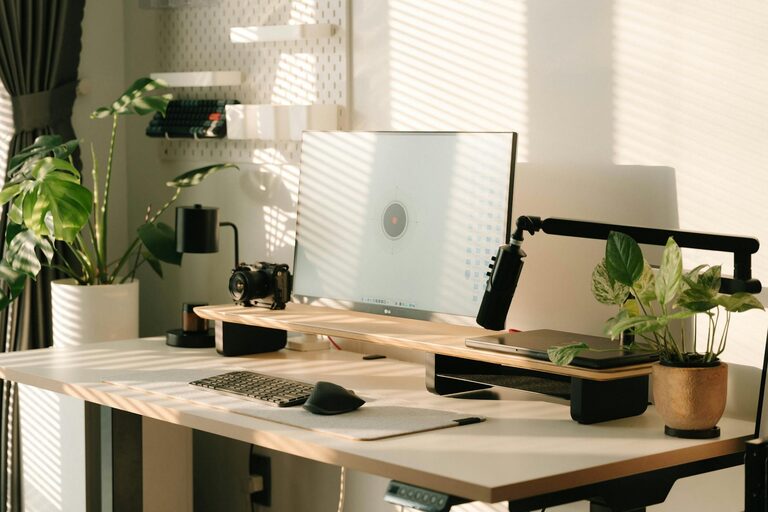
Simple Tips for Creating a Cozy and Productive Home Office Environment
Creating a home office that is both cozy and productive can make a significant difference in your work-from-home experience. Whether you’re spending a few hours a day or working full-time remotely, having a comfortable and efficient workspace helps you stay focused, motivated, and happy. This guide shares simple tips to help you design a home office that feels welcoming while supporting your productivity.
Choose the Right Location
The first step is picking a spot in your home that suits your work needs.
– Natural Light: Try to set up near a window to take advantage of natural sunlight. It improves mood and reduces eye strain.
– Quiet Space: Select a place that has minimal distractions or noise.
– Privacy: If possible, choose a room or corner where you can shut the door or create a clear boundary between work and home life.
Invest in Comfortable Furniture
Comfort is key to staying productive and avoiding physical discomfort.
– Ergonomic Chair: Choose a chair that supports your back and allows you to sit upright comfortably.
– Desk Height: Ensure the desk height fits your body to prevent strain on shoulders and wrists.
– Adjustable Setup: Consider desks that allow you to alternate between sitting and standing to promote movement.
Organize Your Workspace
A clutter-free environment helps clear your mind and save time.
– Declutter Regularly: Keep only essential items on your desk and store the rest away.
– Use Storage Solutions: Use shelves, drawers, bins, or organizers to keep papers and office supplies tidy.
– Cable Management: Keep cords organized with clips or cable sleeves to avoid a tangled mess.
Personalize Your Space
Adding personal touches makes your office feel inviting and can boost creativity.
– Plants: Include a few indoor plants to add life and improve air quality.
– Artwork and Décor: Hang pictures or art that inspire you or make you feel relaxed.
– Soft Textiles: Use cozy rugs, cushions, or a blanket for added comfort.
Control Lighting and Ambiance
Good lighting reduces eye strain and sets the right mood for working.
– Task Lighting: Use a desk lamp with adjustable brightness to focus light where you need it.
– Warm Lighting: Choose bulbs with warmer tones for a cozy feel, especially during darker hours.
– Reduce Glare: Position your computer to avoid glare from windows or overhead lights.
Manage Noise Levels
Sound can either help or hinder concentration.
– Noise-Cancelling Options: Use headphones or white noise machines if your environment is noisy.
– Soft Furnishings: Rugs, curtains, and cushions help absorb sound and reduce echoes.
– Background Music: Some people find calm, instrumental music beneficial for focus.
Maintain Good Air Quality and Temperature
A comfortable atmosphere affects health and productivity.
– Ventilation: Open windows regularly or use an air purifier.
– Temperature Control: Adjust heating or cooling so your office stays at a comfortable temperature.
– Plants Again: Besides decoration, plants also contribute to fresher air.
Establish a Routine and Boundaries
Setting clear work habits helps you separate work from home life.
– Set Work Hours: Define when you’ll start and finish working each day.
– Breaks: Take regular short breaks to stretch and rest your eyes.
– Organize Your Day: Plan tasks ahead to keep on track and reduce stress.
Keep Technology Updated and Organized
Reliable technology ensures smooth workflow.
– Good Internet Connection: Ensure your Wi-Fi is strong enough to support video calls and downloads.
– Proper Equipment: Use quality headphones, webcam, and peripherals to improve work quality.
– Regular Maintenance: Keep software updated and clean up your digital files regularly.
—
By following these simple tips, you can create a home office that feels welcoming, supports focus, and makes working from home a more enjoyable and productive experience. Remember, the key is to design a space suited to your personal needs and preferences, so don’t hesitate to adjust these ideas to fit your lifestyle. Happy working!

Related Posts
Tips for Creating a Cozy Home Office Space

Tips for Creating a Cozy and Inviting Home Office Space