
Tips for Creating a Relaxing Home Workspace to Boost Productivity and Comfort
Creating a relaxing home workspace can make a significant difference in how productive and comfortable you feel while working from home. With more people embracing remote work, having a calm and inviting environment is essential not only for getting tasks done efficiently but also for maintaining your well-being. In this post, we will explore useful tips to help you design a workspace that promotes relaxation and boosts productivity.
Why a Relaxing Workspace Matters
A workspace that feels calm and comfortable helps reduce stress and distractions, allowing you to focus better on your work. It also encourages good posture and mental clarity, which can prevent fatigue and burnout. When your workspace is pleasant, you’re more likely to enjoy your workday and maintain motivation.
Choose the Right Location
Consider Natural Light
Select a spot in your home with plenty of natural light. Sunlight can improve your mood and energy levels, making it easier to stay alert and focused. Position your desk near a window if possible, but avoid glare on your computer screen.
Quiet and Private Area
Pick a quiet area where you can minimize interruptions and background noise. If space is limited, consider noise-canceling headphones or soft background music to enhance focus.
Invest in Comfortable and Functional Furniture
Ergonomic Chair
An ergonomic chair supports your back and encourages good posture, which is crucial for comfort during long working hours. Adjustable features allow you to customize the chair to your body’s needs.
Spacious Desk
Choose a desk with enough surface area for your computer, documents, and any tools you regularly use. A clutter-free desk helps keep your mind organized.
Organize and Declutter Your Space
Keep Essentials Within Reach
Arrange your supplies so that frequently used items are easy to access. This reduces the need to get up repeatedly and keeps your workflow smooth.
Use Storage Solutions
Drawers, shelves, and desk organizers can keep papers and gadgets tidy. Labeling boxes and folders also makes it easier to find what you need quickly.
Limit Personal Items
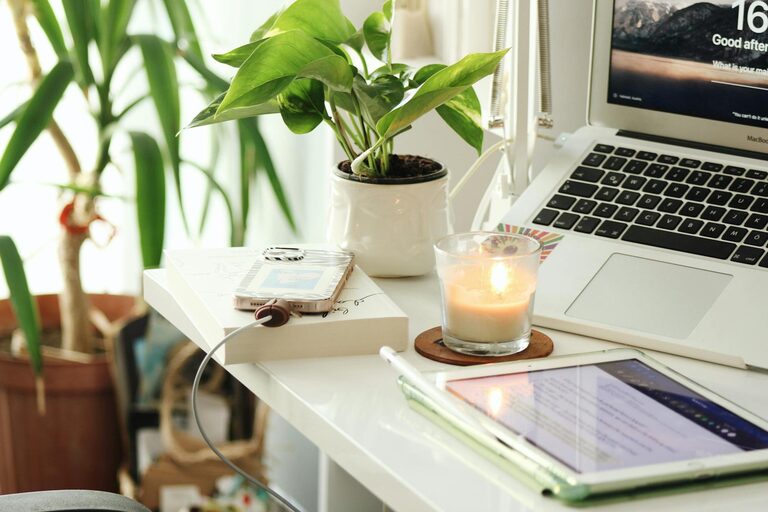
While having a few personal touches like a photo or plant can make your space welcoming, too many distractions may reduce focus. Strike a balance between comfort and efficiency.
Incorporate Relaxing Elements
Add Plants
Indoor plants not only improve air quality but also create a soothing atmosphere. Choose low-maintenance varieties like succulents or spider plants that require minimal care.
Use Calm Colors
Colors such as soft blues, greens, or neutral tones can promote relaxation and concentration. Avoid overly bright or harsh hues that might cause eye strain.
Scent and Sound
Consider using a diffuser with essential oils like lavender or eucalyptus to create a calming scent. Gentle ambient sounds or white noise machines can also help mask distractions.
Optimize Lighting
Combine Ambient and Task Lighting
Ensure your workspace has both overhead lighting and task lighting, like a desk lamp. This helps reduce eye strain and keeps your space well-lit during any time of day.
Adjust Screen Brightness
Reduce glare and adjust your computer screen’s brightness to prevent headaches and eye fatigue.
Establish a Comfortable Temperature and Air Quality
Maintain a comfortable room temperature where you work, generally between 68°F and 72°F (20°C and 22°C). Use a fan or heater as needed. Fresh air circulation is important, so opening a window or using an air purifier can improve air quality.
Set Boundaries and Routine for Work-Life Balance
Creating a relaxing workspace also means setting limits around work time and space. Avoid working from your bed or couch to keep your mind focused on professional tasks during work hours. Develop a routine that includes breaks to stretch, relax, and refresh your mind.
Personalize Your Workspace Wisely
Add elements that inspire and motivate you, such as a favorite quote, artwork, or calendar. Adjust your setup until it feels right for you, but remember to keep the space functional and free of unnecessary clutter.
—
By following these tips, you can create a home workspace that is both relaxing and conducive to productivity. A well-designed environment supports your focus, reduces stress, and makes remote work more enjoyable. Start small by adjusting a few elements, and watch your comfort and efficiency improve.
